
7 Simple Steps To Creating A Genealogy Timeline (And Why You Need One)
*This post may have affiliate links, which means I may receive commissions if you choose to purchase through links I provide (at no extra cost to you). All opinions remain my own.
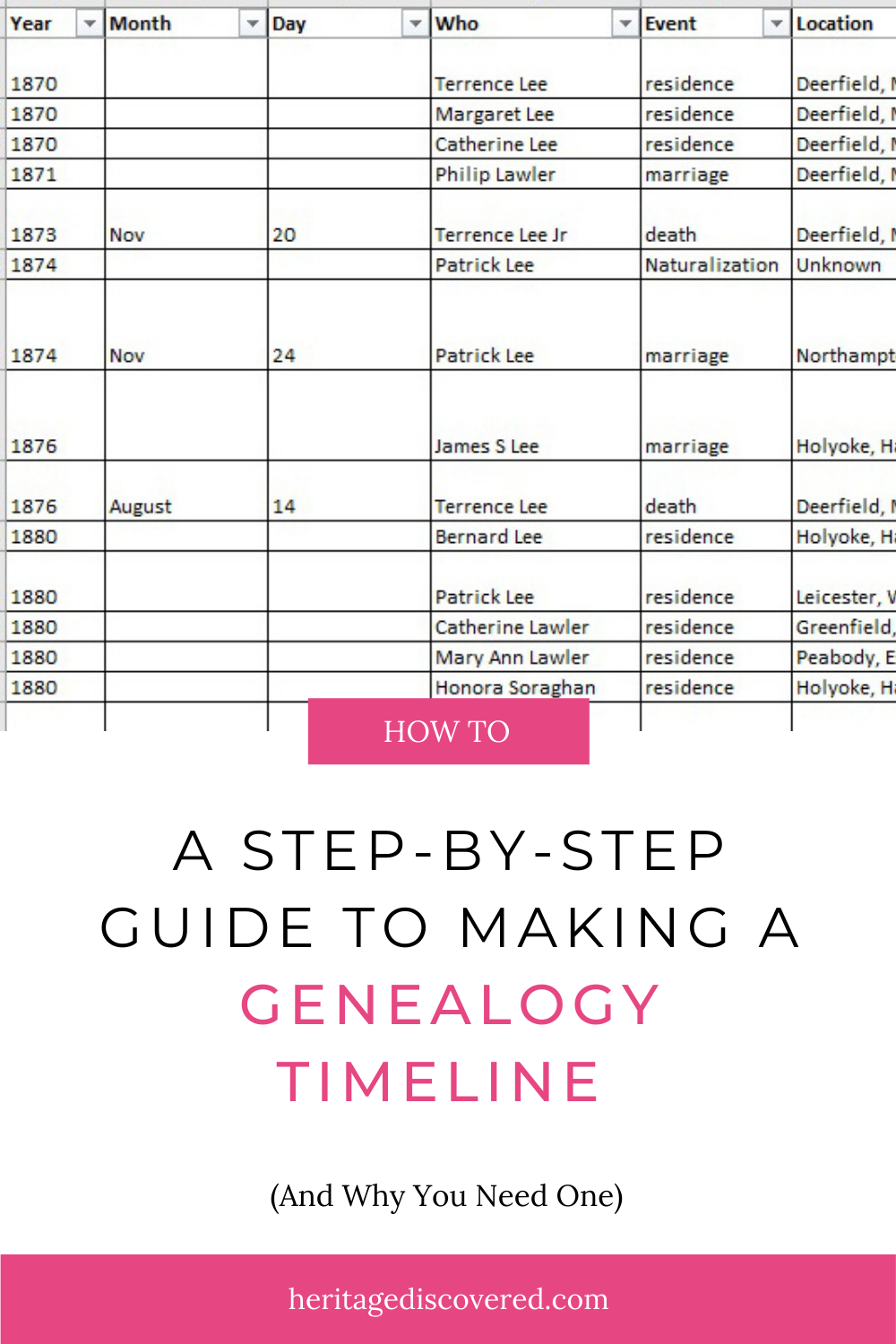
I used to get a little overwhelmed trying to track the lives of all the different branches on my family tree.
If you’ve ever felt that way, you’re not alone.
My tree software is great for recording things, but I have to click open each event to see any notes. The reports are good, but I can only see the events for one person, making it hard to understand an entire family group.
That’s when I realized I needed another method. I needed a genealogy timeline.
A genealogy timeline lets you see exactly what was happening, where, and to whom. All in one place.
If we haven’t met yet, I’m Jessica, a professional genealogist with over 20 years of personal research experience and 5 years working with clients. I help family historians uncover their families. And one of the most powerful tools I use, both personally and with clients, is a well-built family timeline.
If you ever want help building one or using it to break through a research roadblock, you can schedule a free 20 minute consultation with me. I’d love to help you move forward.
Now let’s talk about why a genealogy timeline is so powerful.

How a Genealogy Timeline Helps Your Research
A genealogy timeline is one of the best tools you can use when you hit a brick wall.
Here’s why.
A timeline helps you:
Spot missing gaps.
Do you have a huge hole in your information? A timeline makes those gaps obvious so you know exactly what records to search for next.Identify conflicts.
Is someone in two places at once? Do birth years shift across records? A family timeline highlights inconsistencies fast.Track name changes.
When and where did someone use a specific name? This is especially helpful for immigrants and married women.Sort out people with common names.
If your family reused first names every generation (many of ours did), a genealogy timeline helps separate them clearly.See how long someone lived somewhere.
You can track how long they stayed at an address or worked for a company.Narrow down event years.
If you do not have a clear birth or death record, placing known events on a timeline can help you estimate a narrower range.
All of this leads you to more records. More evidence. More clarity.
If you are working through a tough research problem, my Brick Wall Breakthrough Blueprint walks you step by step through analyzing evidence and building a strategy. A genealogy timeline pairs beautifully with that process.
Related posts:
How to Organize Your Genealogy Files With Binders
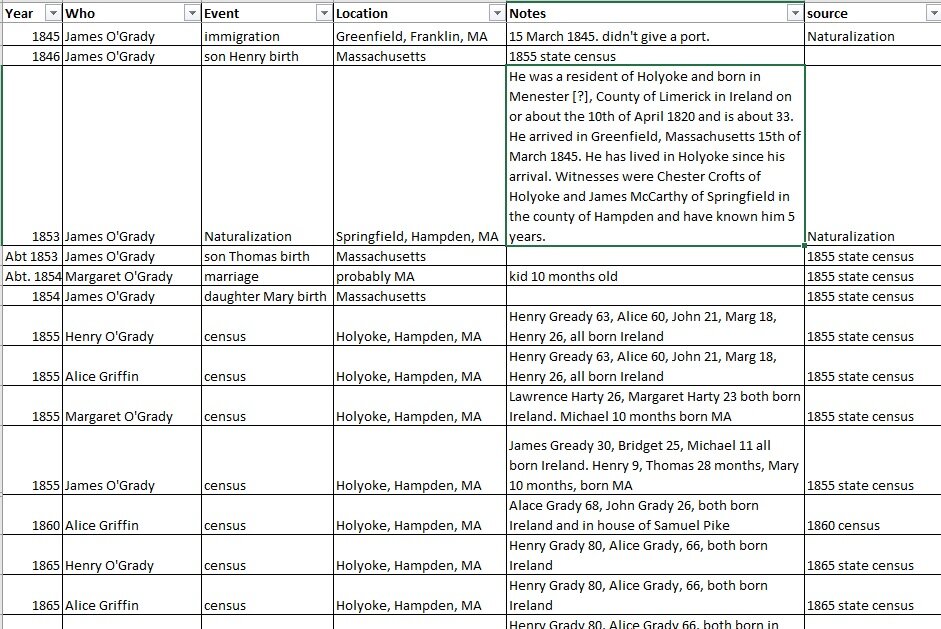
How To Create a Genealogy Timeline in Excel
There are a bunch of different options for making your family history timeline, like Evernote or a simple Word document.
For easily laying out and sorting information, as well as spotting issues and gaps in, Excel is a great option, as is Google Sheets.
I keep mine simple because I have a separate detailed transcription for every record for a person. The timeline distills all that detail into an easily scannable document.
I like to have a timeline for an entire family group so I can see the bigger picture for the family as a whole.
I can see in which order people immigrated, how the family was moving around as a group, and where to do some collateral research.
What categories of information should you include? Think who, what, when, where, and why.
Related posts:
Everything You Need to Know About Using Home Sources
Solve Your Genealogy Brick Wall: How To Research A Last Name In An Area
Can’t Find Your Women Ancestors? You Need To Try Using Religious Records
What To Include In Your Genealogy Timeline
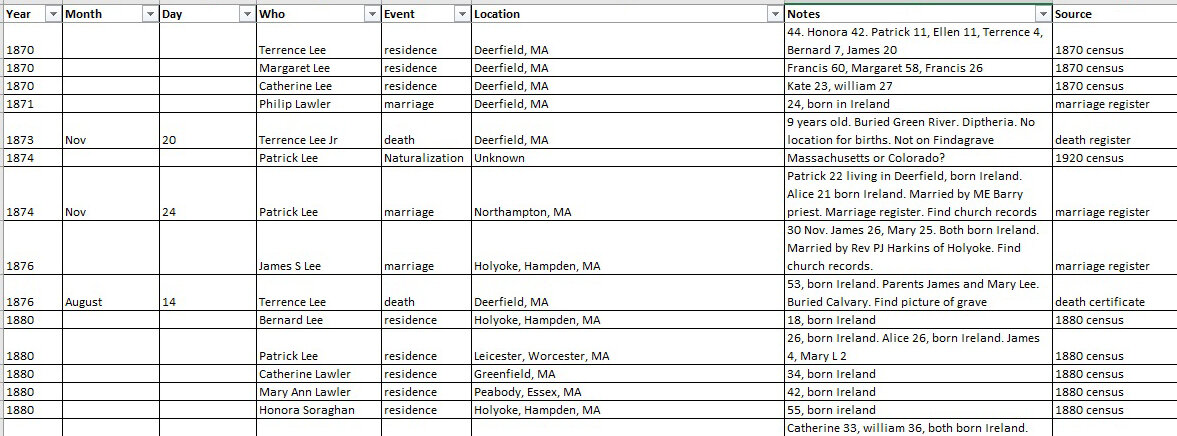
When building your genealogy timeline, think in terms of who, what, when, where, and why.
Here are the categories I recommend:
1. Date: If you do not have a complete date, use what you have. Year only is fine. Month and year works too.
2. Person: If your timeline covers a family group, note which individual the event belongs to. You can also track name variations here.
3. Type of Event: Birth, marriage, census, military service, immigration, employment, probate, and so on.
4. Location: Be as specific as possible. Include town, county, and state or country.
5. Notes: Use this for brief record details, alternate spellings, research ideas, or next steps. Write ideas down immediately while reviewing your timeline. Fresh ideas disappear quickly.
6. Source: Even a simple reference is better than none. You can keep full citations elsewhere if you prefer.
7. Historical Events (Optional): Adding local or global events can provide context.
For example, I worked with a client whose family left Mexico the year the Mexican Revolution began. Seeing that historical event on the genealogy timeline helped explain their migration.
Wars, famine, economic crises, and local church founding dates can all add context and suggest new record sets to search.
For more help understanding context and sources, read How To Evaluate Sources For Confidence In Your Genealogy Research.
Related posts:
How To Use Online Family Trees The Right Way
5 Things to Look For in Probate Records to Help Trace Your Ancestors
What Events Should You Add To Your Family Timeline?
Short answer: all of them.
Even approximate dates are useful. They help narrow your research window.
Add:
Births, marriages, and deaths
Baptisms and confirmations
Addresses
Military service
Newspaper articles and obituaries
Court and probate records
Land purchases and sales
Immigration and naturalization
Employment details
If you want to make sure you are not missing record types, my Genealogy Records Workbook gives you a checklist of 16 record categories to search for each ancestor.
Timelines also pair wonderfully with my Ancestor Timeline template if you prefer a printable format over spreadsheets.
Related posts:
6 Common Genealogy Mistakes And How To Avoid Them
How to Find and Use Hidden Clues in Obituaries
How to Strengthen Your Cemetery Research Skills to Find More Clues
A Real Example Of Why a Genealogy Timeline Works
I created a genealogy timeline for my Irish ancestors, Terrence Lee and Honora Sullivan.
I also included Terrence’s sister Margaret and her family. They were the only two known siblings, so placing both families on one family timeline helped me see migration patterns in Ireland and later immigration to the United States.
I even added the founding year of their local Catholic church. It was established three years after they arrived.
That raised a question. Where did they attend church before that?
Without a genealogy timeline, I might not have noticed that gap.
The timeline also revealed a name issue.
In my tree, I had both a Delia Lawler and a Bridget Lawler, daughters of Margaret Lee and Francis Lawler. Delia is the American form of Bridget. But they had a five year age difference.
Were they the same person? Or did one die young and another child was named Bridget?
I have only one record for Bridget, baptized in Ireland in January 1849. I have several records for Delia with her family in Massachusetts, with births ranging from 1844 to March 1849.
Looking at the full family timeline suggested they were likely the same person, but I needed more digging to confirm.
That insight came from seeing everything laid out chronologically.
Tips For Using Excel For Your Genealogy Timeline
If you are learning how to make a timeline in Excel, here are a few practical tips.
1. Use filtering and sorting.
You can filter by person or sort by event type. This is incredibly helpful when tracking large families.
2. Be careful with dates.
Excel can be tricky with partial dates. If you mix formats, sorting can become messy.
You may not have a complete date for an event, and only a year or a month and a year. Excel doesn’t let you enter complete and partial dates in a consistent format, and sorting can put things more out of order.
For example, if you input a mix of date formats like this:

And then try to sort it, it turns into this:

One option is to use separate columns for year, month, and day. This keeps sorting clean.
Google Sheets handles partial dates better, but exporting back to Excel can create issues. So choose your format intentionally.
3. Customize with color coding.
Highlight certain individuals, event types, or research ideas. Visual cues make patterns easier to spot.
If you prefer not to build from scratch, my customizable Ancestor Timeline templates (available in minimalist and watercolor designs) give you a ready made option.
If you prefer not to build from scratch, my customizable Ancestor Timeline templates (available in minimalist and watercolor designs) give you a ready made option.

Why Every Researcher Needs a Genealogy Timeline
No matter what format you use, a genealogy timeline is one of the most effective ways to:
Organize your research
Identify gaps
Spot conflicts
Develop new research questions
Break through brick walls
It gives you a big picture view that family tree software alone often cannot.
If you feel stuck or overwhelmed, start with a timeline.
And if you would rather have help building or analyzing one, I offer Done For You research packages where I build timelines, analyze evidence, and create a clear research plan to help you solve your family history questions.
You can schedule a free 20 minute consultation to talk through your goals and see what makes the most sense for you.